
ArcSetups
Arc Trinity
Three extra screens for your laptop, on their own folding stand.
- Windows, macOS, Ubuntu, ChromeOS · with a program
- One USB-C cable to the laptop, power from the adapter
- Stands by itself, does not clip to the laptop
Size and resolution
Selected:
- The statutory 14-day right of withdrawal applies.
- All cables and the adapter in the box
In the box
- Arc Trinity with three screens and folding stand
- USB-C cable for the laptop
- Second USB-C cable
- HDMI cable
- Power cable with USB-C
- Power adapter with 45 or 65 watts, depending on size
- Manual
Technical data
Three IPS screens, matte, 60 Hz, with built-in speakers. Metal folding stand, height adjustable. Ports: USB-C and Mini HDMI. All dimensions and weights are in the comparison of variants below.
Shipping and withdrawal
. The statutory 14-day right of withdrawal applies.

In use
Everything is in front of you.
Several windows on one notebook are tiresome. With the Arc Trinity each one gets its own screen.
-
Everything at a glance
Email on the left, your work in the middle, the numbers on the right. You look across instead of switching tabs.
-
Higher than your laptop screen
The row of screens stands above and behind your laptop. You set the height on the stand.
-
Your laptop carries nothing
The Arc Trinity stands on its own metal folding stand. Nothing clips to the lid, nothing pulls it backwards.
Made for text, spreadsheets, code, calls and films. It is not meant for fast games.
Setup
Ready in four steps.
-
Unfold
Stand the frame up and set the height.
-
Swing out
Swing the two side screens forward.
-
Connect power
Plug in the adapter.
-
Connect the laptop
Plug the USB-C cable into your laptop. The first time you install the DisplayLink program, after that you just plug in.
Positions
One device, three setups.
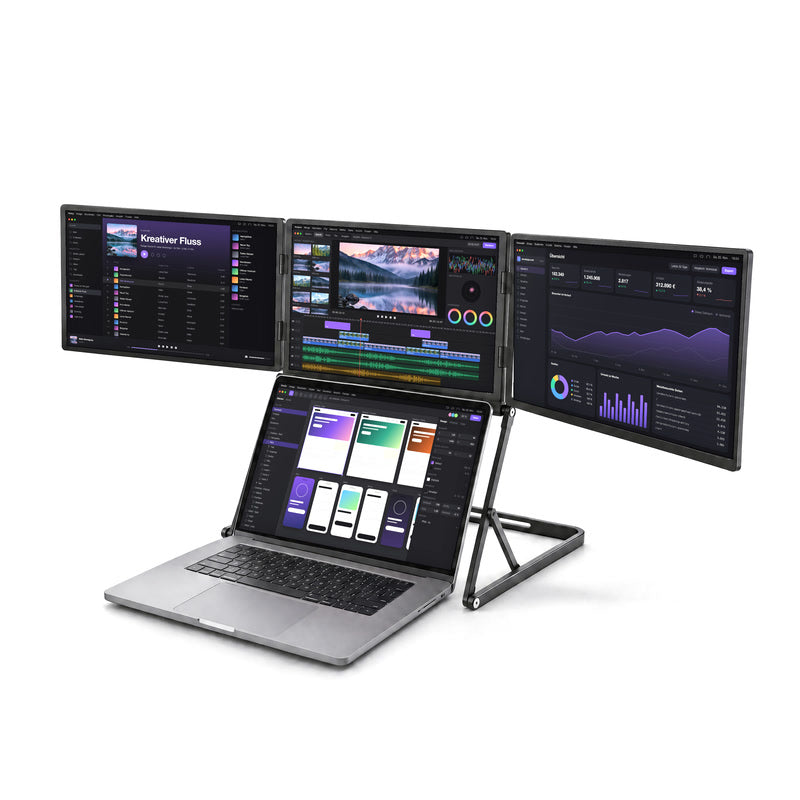
Working
Three screens in a row above your laptop. All your windows stay in view at once.
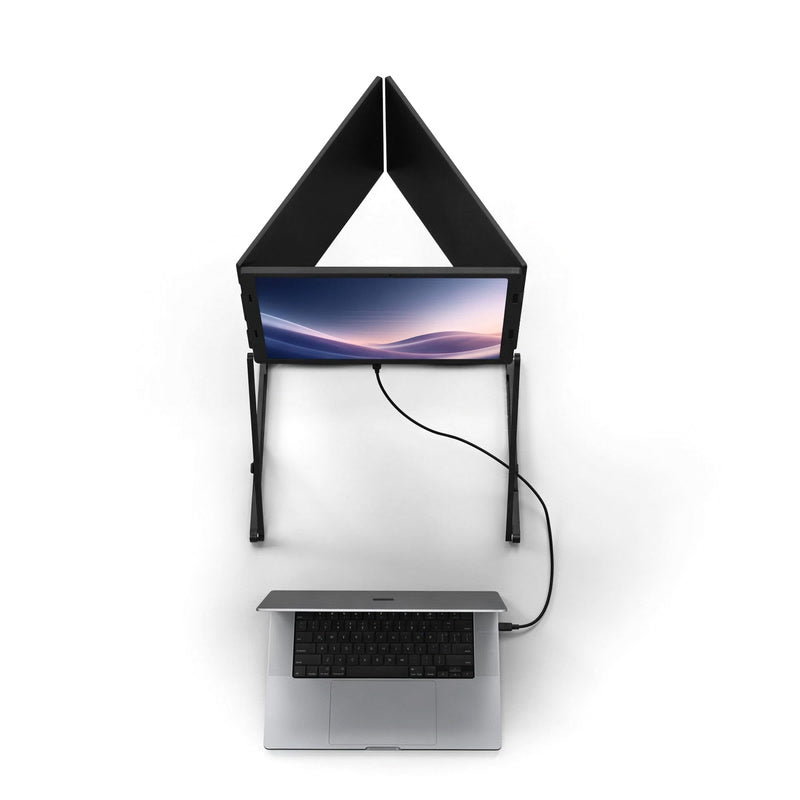
Presenting
With the side screens swung back, the person opposite you can look on.
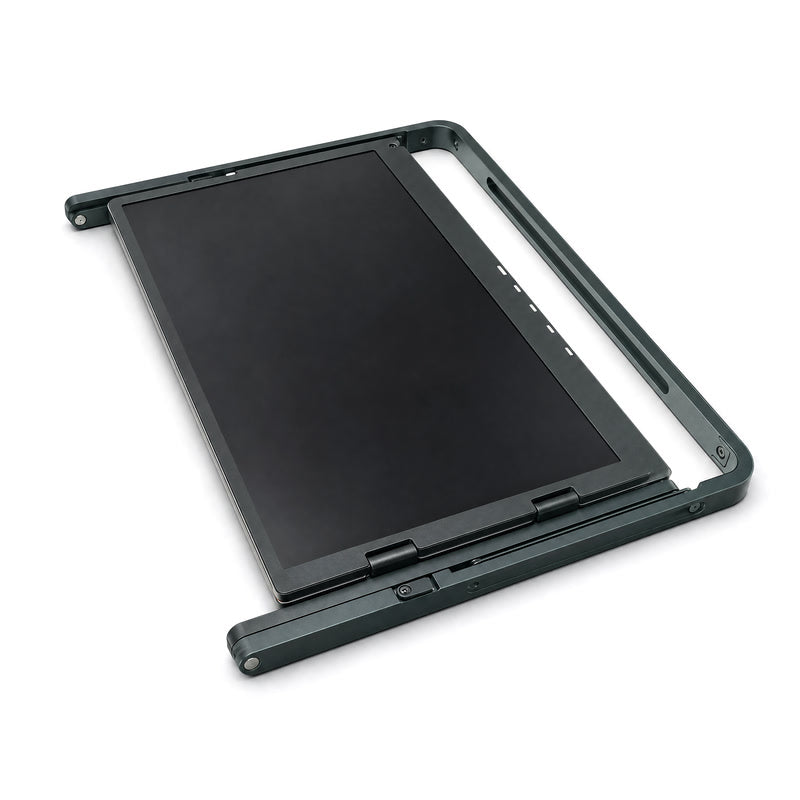
Taking along
Folds flat and is easy to stow. Just 372 × 280 × 27 mm for the 14 inch.
Variants
Six variants, one design.
All values according to the manufacturer's data sheet.

Connection check
Does it fit my laptop?
Three short answers and you know which cable from the box to use.
One cable to the laptop. One to the socket.
Picture and data run over one USB-C cable. The screens take their power from the included adapter. So there are two cables on your desk.

Questions
Before you order.
Does my MacBook run three extra screens?
Yes, with the small DisplayLink program. MacBooks with the base chip drive only one or two extra screens by themselves. With the program all three run. You install it once.
How many cables are on the desk in the end?
Two. One to the laptop, one from the adapter to the socket.
Does the Arc Trinity extend my screen, or only mirror it?
It extends. Each of the three screens is its own area that you drag windows onto. If you would rather show the same picture, change that in your system's display settings.
The screens are in the wrong order. What now?
That often happens the first time you connect. You drag the screens into the right order once. On Windows: Settings, System, Display. On a Mac: System Settings, Displays, Arrange.
Can I game or watch films on it?
Films, series and videos play on all three screens, sound comes from the built-in speakers. It is not made for fast games with high frame rates, the screens run at 60 Hz. On a Mac, copy-protected films, for example from Netflix, can stay black on the extra screens.
Your question isn't here? Write to us and we'll reply personally.
Ask another questionArc Trinity
Unfold some room.
Selected:
·
